THE COMPLETE TOOLKIT
Per-line attribution is the core. The toolkit is what makes it operational — live activity, cost, trends, the menubar, the CLI. All of it ships in the box.
REAL-TIME
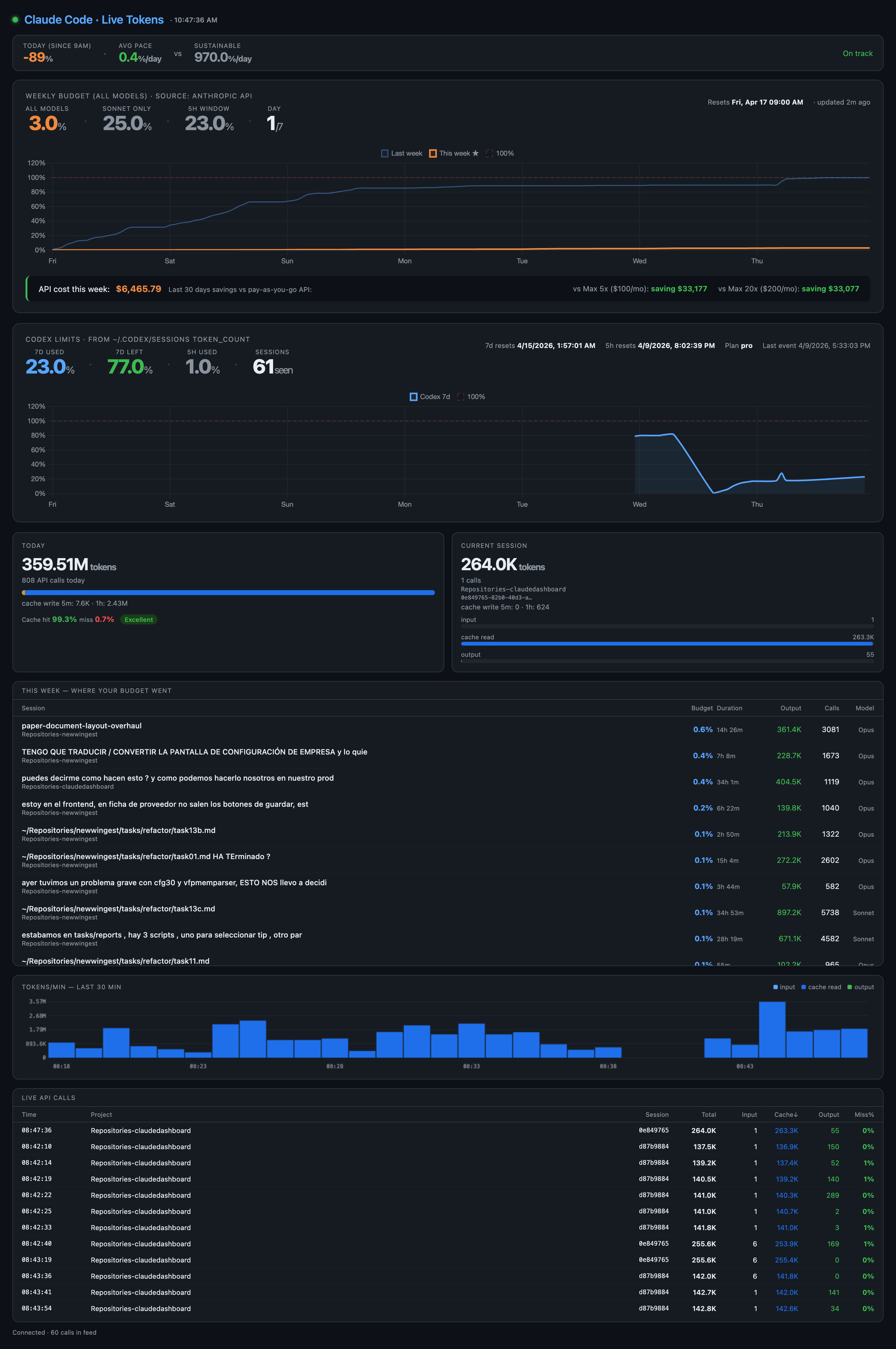
Watch every AI session as it happens. Tokens, cost, current file, current model — streamed live to your browser via Server-Sent Events.
USAGE & COST
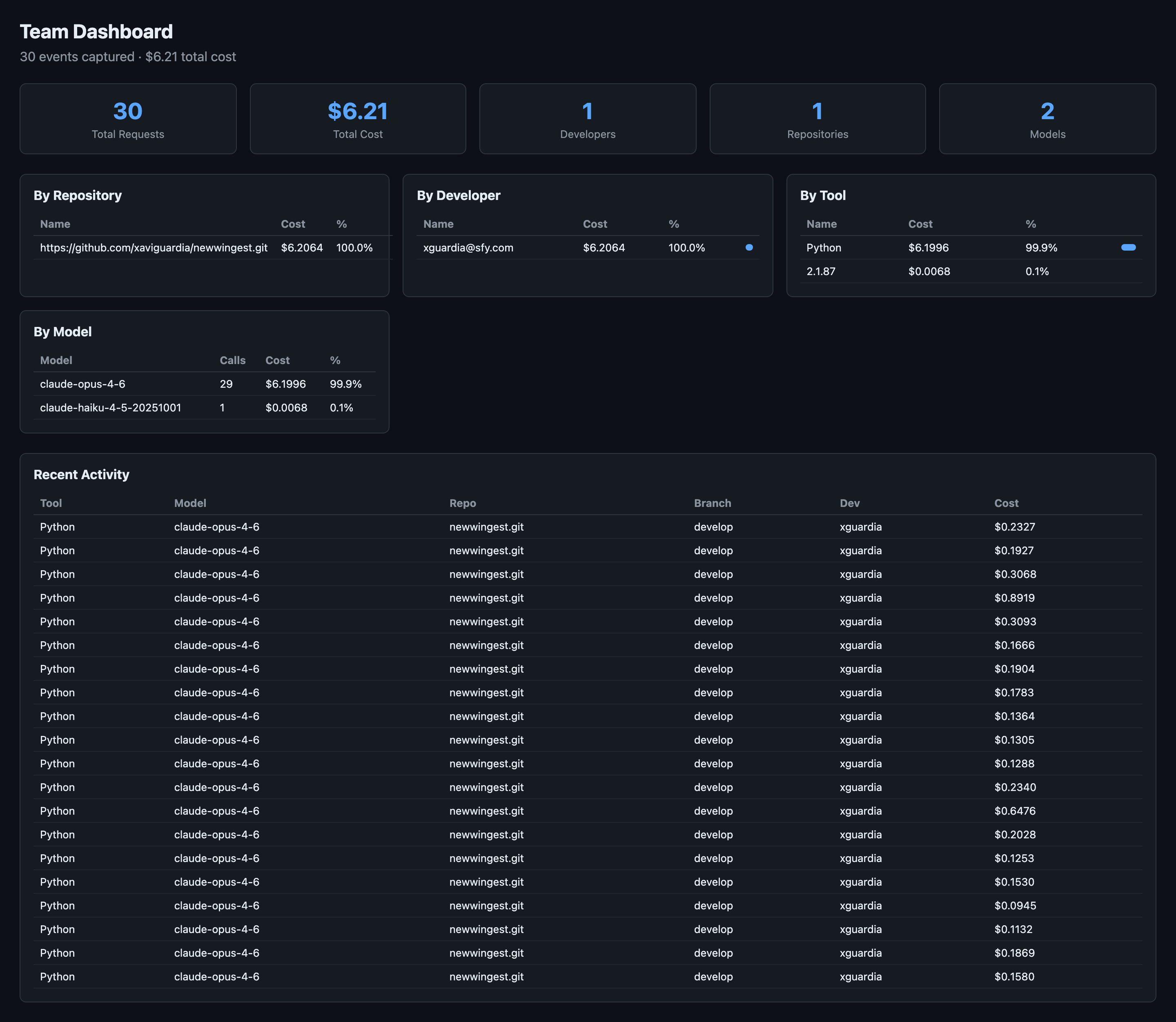
An mitmproxy plugin captures every prompt and token across Claude, Cursor, Codex, and ChatGPT — attributed to the developer, repo, and branch where it happened. The team dashboard rolls it up.
TRENDS
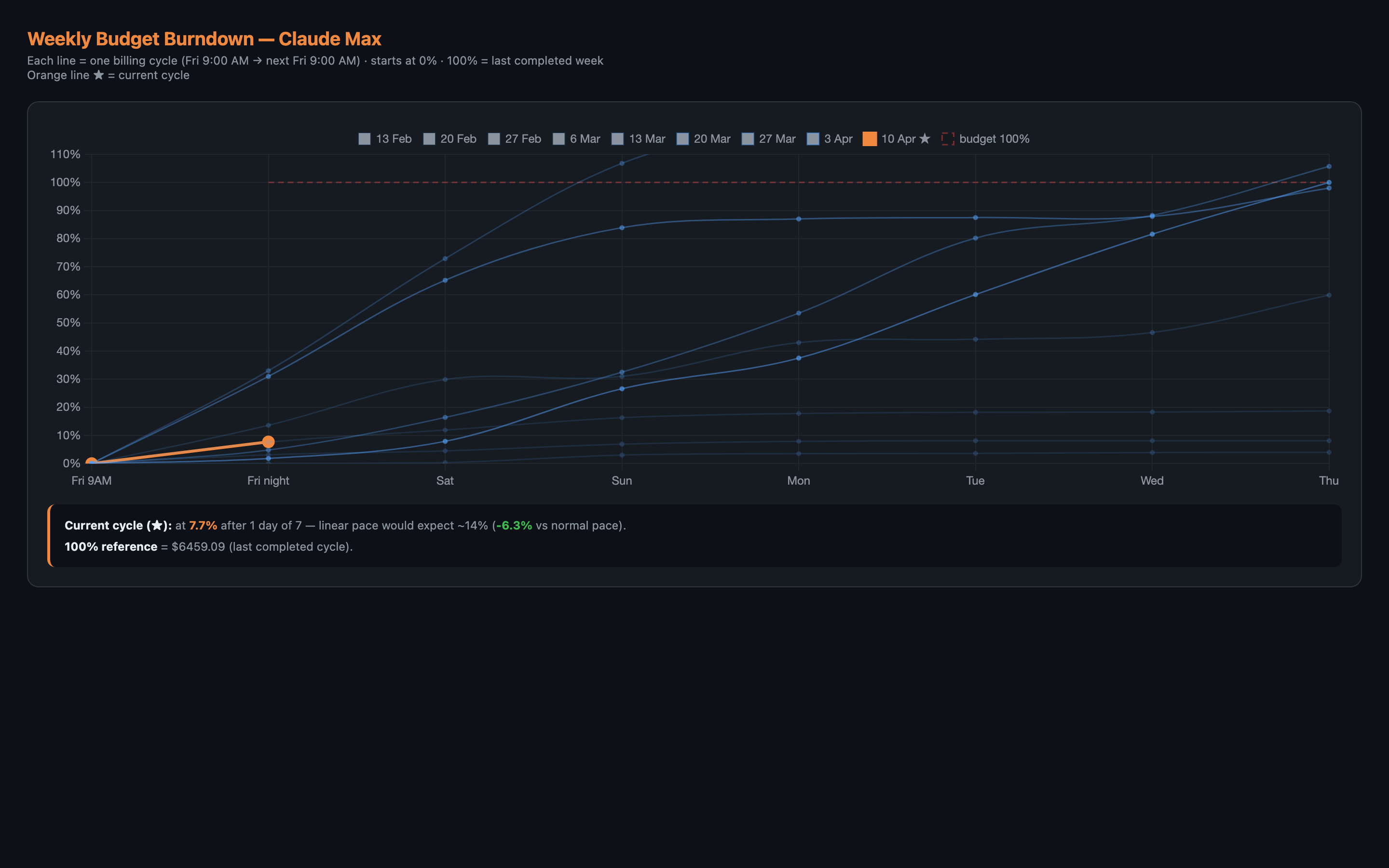
Each week is a spending cycle. The burndown shows where you are vs the linear pace, vs last week, vs the historical baseline. The chart your team checks every Monday.
TERMINAL
No browser needed. Two commands cover the day-to-day: see what your AI is producing and who wrote each line.
obsly-ai ai-stats
$ obsly-ai ai-stats AI Code Statistics · last 30 days ───────────────────────────────── Total commits 342 AI-attributed 231 (67.5%) Lines added 12,847 by AI 8,621 (67.1%) by human 4,226 By agent claude-code 5,914 cursor 2,103 codex 604 Durability (30d) 88.4% Churn (7d) 6.2%
obsly-ai ai-blame src/auth.py
$ obsly-ai ai-blame src/auth.py 1 human import os 2 human import hmac 3 human from datetime import datetime 4 5 claude-code class AuthManager: 6 claude-code def __init__(self, db): 7 claude-code self.db = db 8 claude-code def create_token(self, uid): 9 claude-code return jwt.encode(...) 10 11 cursor def validate(self, tok): 12 cursor return jwt.decode(...)
MACOS
A live AI % indicator in your macOS menubar. Click for today's tokens, cost, durability, and active session — without context-switching to a browser.
One package. Eleven commands. Zero configuration.
| Command | What it does |
|---|---|
| obsly-ai live | Live SSE dashboard at localhost:8765 |
| obsly-ai server | Team dashboard with cost breakdown at localhost:8800 |
| obsly-ai proxy | Start the LLM traffic proxy (mitmproxy addon) |
| obsly-ai burndown | Generate the weekly budget burndown chart |
| obsly-ai report | One-shot HTML usage report |
| obsly-ai analyze | Text-based token usage summary |
| obsly-ai menubar | Launch the macOS menubar app |
| obsly-ai install | Install AI attribution hooks for all detected agents |
| obsly-ai ai-stats | Show AI authorship statistics for the current repo |
| obsly-ai ai-blame | Per-line AI attribution for any file in the repo |
| obsly-ai doctor | Run health checks on the proxy and hook setup |
pipx install obsly-ai. Free for individuals. Per-seat for teams.